Pages

About Me

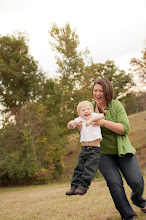
My photo
I'm Andrea. I'm a wife, mother, full-time computer software developer who seems to never have enough time to do everything I want to do. I married my high school sweetheart, who also happens to be my best friend. I love photography and am a total "mommarazzi" to my son Dillon. I grew up in the South, so I have always been loved, and also love others, with food. So my idea of a good time, is getting together with family and friends, eating some great food, and documenting the whole thing with my camera. So, "food, family, and photos" pretty much sums it up!

Friday, September 14, 2012

My first post at Everyday Elements!

You've probably seen me recommend the Everyday Elements website for Amanda's fantastic photography and editing tutorials. I'm excited to announce that today I am introducing myself over there as a new contributor to help out with Canon-centric tips and tricks.

Check it out and leave some love over there!


Wednesday, August 8, 2012

How could you not love this face?

It's pet faces time at I Heart Faces! When I heard this, I knew immediately what photo to choose. I mean, how can you not love this face?


Murphy has been such a blessing in our lives for many years now! For anyone new to my blog, Murphy is our almost 8 year old Australian Cattle Dog mix. He and 2 of his siblings were found as puppies alongside a road in our county after they had apparently been thrown out of a car. We adopted him from a local pet rescue organization in January 2005. He is such a huge part of our life and family. He watches TV with us on the couch and sleeps in our bed. He's a big mooch and NEVER misses mealtime. He has brought us so much joy! If you're looking for a pet, be sure to check out your local shelter or rescue organization. There are so many wonderful animals out there that need homes!

Thursday, June 14, 2012

A Boy and His Box

I'm not sure why we even bother buying Dillon toys, he seems to have more fun with the boxes than anything else.
It's a good thing I love shopping at Amazon.com.....we have a pretty decent box supply at this point.
Dillon said this was his kayak and you'll notice he even decorated it with a few fish!

Wednesday, May 23, 2012

Crave Mentoring Giveaway!

Oh how I would LOVE to win this! Crave Photography is giving away a 2 day, all expenses paid, in person workshop along with amazing prizes from 10 other vendors! Don't miss out, enter today here!

Tuesday, January 3, 2012

Crave Photography is giving away an 85mm lens!

Head on over to the Crave Photography blog to check out an awesome giveaway! My favorite photographer Andee Tate is giving away some awesome prizes. The top prize is either a Nikon 85mm 1.4 or Canon 85mm 1.2 lens. The winner gets to choose which one!

http://cravemyphotography.com/blog/25000-fans-giveaway/

For those of you who aren't entering....please keep your fingers crossed for me!

Monday, October 3, 2011

MCP Actions Blueprint - Murphy

I'm sharing another blueprint of a photo edited using the MCP Mini Fusion action from MCP Actions as an entry to win the new set of MCP Lightroom presets!

The top photo is the before, the bottom photo is the after.


Here are the steps I took to edit the photo:
1) Used Spot Healing Brush tool to get rid of white spec under left eye
2) Ran MCP Mini Fusion
3) Increased Clarify layer to 60% and masked off background
4) Increased Warm Tint layer to 65%
5) Turned on Pink Cadillac layer at default opacity
6) Used Darken layer to darken edges of photo
7) Added Hue/Saturation layer (with no adjustments) set to Overlay blend mode at 44% opacity

MCP Actions Blueprint - Dillon

I'm sharing a blueprint of a photo edited using the MCP Mini Fusion action from MCP Actions as an entry to win the new set of MCP Lightroom presets!

The top photo is the before, the bottom photo is the after.


Here are the steps I took to edit the photo:
1) Ran MCP Mini Fusion
2) Increased Clarify layer to 90% and masked off skin and background
3) Increased Hazy layer to 40%
4) Increased Warm Tint layer to 50%
5) Turned on On Cloud Nine layer at 40% opacity
6) Turned on Cool Blue Sea layer at 15% opacity
7) Turned on Pink Cadillac layer at default opacity
8) Used Darken layer to darken background
9) Added levels layer and masked to only brighten eyes
10) Added general levels layer
9) Added Hue/Saturation layer (with no adjustments) set to Soft Light blend mode at 55% opacity and masked off shirt